


Annabel Karmel Kids Recipes
3.26.00 Reviews
App Specs
- Version
- Release 72
- Updated On
- License
- Free
- Downloads
- 50,000+
- Developer
- Cooking For Children Ltd.
- Categories
- Food & Drink
- Platform
- Android
Screenshots

 Analysis by AppCompare
When I’m planning food for a young child, the hard part is rarely finding a recipe. It’s choosing something that fits the child’s stage, the family’s routine and whatever is already in the fridge, then getting it onto the table without turning dinner into a second job. Annabel Karmel Kids Recipes is aimed at that practical gap: it’s a free food-and-drink app from Cooking For Children Ltd. focused on children’s meals and the early move to solid foods. I’d treat it as a source of ideas and guidance rather than a complete system for managing every family food need.
Start with the meal you need today
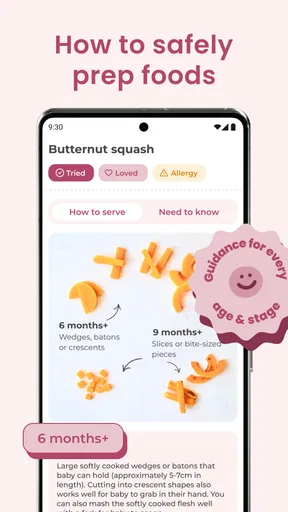
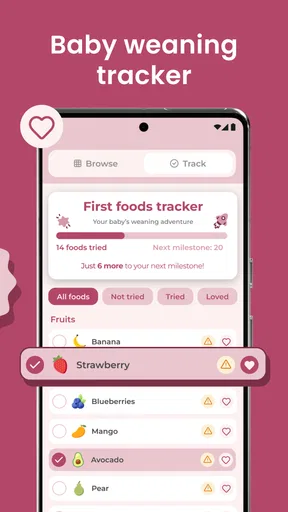
The app makes most sense when I open it with a specific question: what can I make for lunch, what might work for a snack, or how do I approach a new meal for a baby starting solids? Its recipes and weaning guidance give parents a place to begin without requiring them to search across unrelated cooking sites. The audience is broad, though, so I’d still check that a recipe suits my child’s age, abilities and any advice I already follow.
That distinction matters. A recipe can look appealing and still need a sensible adjustment for a particular child, so I wouldn’t treat an app as a substitute for individualized medical or feeding advice. The content rating is Everyone, and the app’s focus on children makes it approachable for family use, but the adult remains responsible for deciding what is suitable and supervising food preparation and eating.
Move from idea to shopping and cooking
In the original review, I found the search and organization useful for narrowing down meal ideas, while the recipe instructions and images helped make the cooking steps easier to follow. The shopping-list option also gives the process a practical next step: rather than copying ingredients onto a scrap of paper, I can use the chosen recipe to shape what I need to buy. That is most useful when I pick meals before heading to the shop, not when I’m already halfway through cooking and discovering missing ingredients.
A small workflow tip is to choose a recipe first, then check the ingredients against what is actually in the kitchen before committing to it. That prevents a promising idea from becoming a last-minute substitution exercise. I’d also look over the full method before starting, especially when cooking with a child nearby: it is easier to set out ingredients and decide which safe, simple task a child can help with before pans or hot food are involved.
The app’s meal-planning feature can help turn separate recipes into a week’s rough outline. I’d use it as a prompt rather than a rigid schedule. For example, I might plan a couple of dinners and leave room for leftovers or a change of appetite. That makes the planner more realistic for a household where a child’s preferences can shift from day to day, and it avoids treating every meal as a fresh cooking project.
Where the handoffs need a parent’s judgement
The useful handoffs are between the app and the people doing the work: the adult selects and checks a recipe, the shopping list supports a grocery run, and a child can join in with an appropriate task. The app may make that chain feel more organized, but it cannot make the decisions on a parent’s behalf. I would check ingredient labels and portions myself, and make sure any changes still leave the meal suitable for the child I’m feeding.
Worth Reading Before You Choose

EA SPORTS FC Mobile 26 Is a Bigger Football Game, but It Takes Time

Flipboard Shows What News Apps Must Do Beyond the Feed

Switching to Android Auto Means Rethinking Your Driving Routine

Google Calendar Makes a Crowded Week Easier to Manage

Ludo King Makes the Most of the Minutes Between Plans

Baby Panda World Brings Quick Play to Modern Phones, but Its Game Library Feels Busy
For a realistic evening, imagine getting home with limited time and a child who wants to help. I’d use the app earlier in the day to settle on a dinner, check what needs buying, and have the ingredients ready before inviting the child into the kitchen. The child could help with a simple, supervised step while I handle knives, heat and timing. The value here is not that the app magically makes dinner effortless; it is that choosing a direction in advance can reduce the number of decisions competing for attention at the busiest moment.
Children can also be included without asking them to follow the whole recipe. A young helper might wash produce or stir something cool, while the adult manages anything hot or sharp. That’s a more useful way to think about the app’s child-friendly presentation: it can make cooking feel inviting, but the activity still needs to be adapted to the child’s age and the kitchen task.
How it fits beside other recipe options
Compared with a general recipe search, a children’s-food app has a clearer focus for parents who want meal ideas and weaning-related guidance in one place. A general cooking site may be better when I need a very particular cuisine, a narrow dietary filter or a huge range of techniques. A notebook or ordinary shopping-list app may be quicker for someone who already has a settled menu and only needs to record ingredients. I see this app as most useful when the challenge is deciding what to make for children, rather than as a replacement for every kitchen tool.
It is also worth setting expectations around dietary needs. The published review found that more options for dietary restrictions would be welcome, so I would not assume the app can cover every allergy, intolerance or specialized eating plan. If a household needs strict ingredient control, a dedicated, carefully filtered resource may be a safer starting point, with recipes checked against professional guidance where appropriate.
Who is likely to get the most from it
I’d recommend giving it a try if you’re a parent or caregiver who wants child-focused inspiration, is beginning to think about solids, or regularly gets stuck rotating the same familiar meals. It may also suit a new cook who appreciates visual guidance and a clear sequence of steps. Its average rating is 3.9 from around 200 ratings, and it has been installed over 50,000 times, so there is a modest but established audience; those figures are context, not a guarantee that its recipes will suit your family.
I’d be less likely to rely on it if I needed highly specialized nutrition tools, extensive allergy filtering, or a fully offline recipe library. The earlier review also noted occasional slow loading and internet dependence for some features. That friction is especially relevant if you tend to cook in a spotty connection or want to keep a recipe open without worrying about access. The current version is Release 65, and the app supports Android 7.0 and later; on iOS, I’d check the relevant store’s compatibility details before installing.
The app is free to download, with in-app purchases ranging from five to thirty dollars per item. I’d explore the free experience first and decide whether any paid content is genuinely useful before spending. That approach is sensible for a recipe app: the value depends less on how many options it presents and more on whether you return to recipes that work for your child and your routine.
For families starting solids, the strongest practical habit is to use the guidance as a planning aid, then make the final call based on the child and the advice their caregiver has received. For older children, I’d use the recipe collection to widen the rotation gradually rather than expecting one new dish to solve picky eating. In both cases, a familiar side or a small taste alongside a dependable option can make trying something new feel less like an all-or-nothing bet.
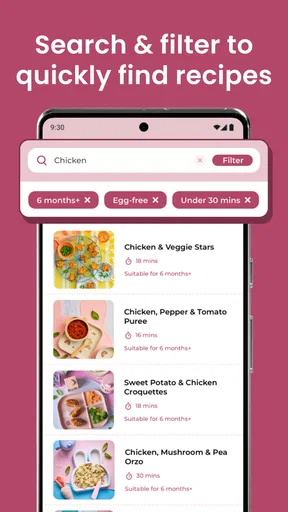
One trade-off is that a large collection can make choosing harder rather than easier when you’re tired. I’d narrow the decision with a simple rule: pick by meal type or by ingredients already on hand, then compare only a couple of candidates. The search function is more helpful when I know what I’m looking for than when I’m browsing without a plan. That small change can make the app feel like a practical kitchen aid instead of another feed of possibilities.
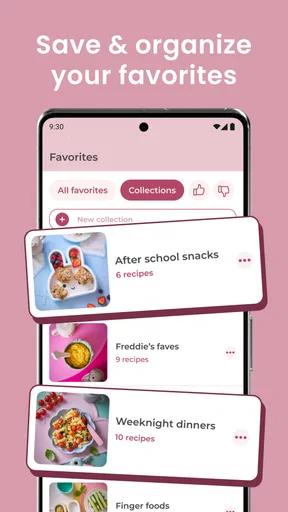
Another useful habit is to save the results of your own experience outside the act of cooking: note which recipes your child actually ate, what needed changing, and whether the preparation fit the available time. I would not assume that a recipe’s appeal in a picture predicts how it will go at home. A short personal shortlist can turn a broad collection into a dependable rotation, while leaving room to try something different when there is time.
First Impressions
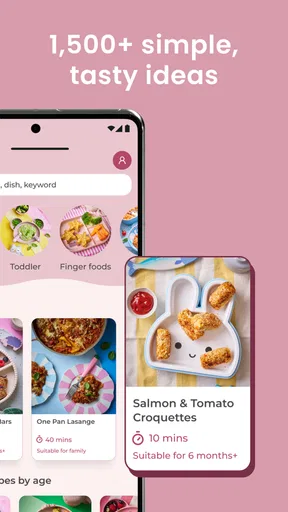
When I first downloaded the Annabel Karmel Kids Recipes app, I was immediately drawn in by its colorful and inviting interface. It’s clear that a lot of thought has gone into making the app user-friendly, which is a huge plus when you’re trying to whip up dinner with a toddler at your feet.
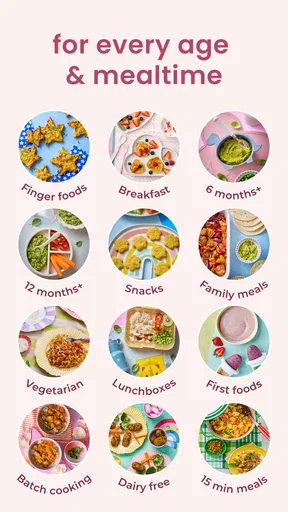
The app is divided into sections that are easy to navigate. Whether you’re looking for breakfast ideas, lunchbox snacks, or hearty dinners, everything is organized neatly. I particularly appreciated the search function, allowing me to quickly find recipes based on ingredients I had at home.
A Deep Dive into Features
One of the standout features of this app is its sheer variety of recipes. From traditional favorites like spaghetti Bolognese to more adventurous dishes like Thai chicken curry, there’s something to satisfy even the pickiest eaters.
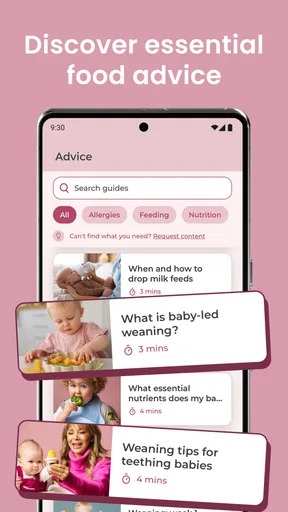
The app doesn’t just stop at recipes; it also offers cooking tips and nutritional advice to ensure your kids get the best. I found the meal planner particularly helpful. It allows you to plan meals for the week, which can be a game-changer for busy parents.
"Cooking for kids has never been this easy or enjoyable."
Each recipe is detailed, with step-by-step instructions and vibrant images that make the cooking process straightforward. I also loved the feature that allows you to create a shopping list directly from the app. No more scribbling notes on the back of receipts!
Cooking with Kids
This app is not just for parents; it’s a fantastic tool to get kids involved in cooking. The interactive elements and fun illustrations make it appealing for children. My little one loved helping out, and it turned cooking into a fun family activity instead of a chore.
There are also plenty of fun facts and trivia sprinkled throughout the app, which are great conversation starters and can make meal prep educational too. It’s a win-win!
Room for Improvement?
While the app is mostly a delight, there are a few areas that could use some tweaking. Occasionally, I found the loading times a bit slow, especially when switching between sections. Also, while there is a vast array of recipes, adding more options for dietary restrictions would be fantastic.
A minor gripe is the need for internet access for some features. It would be wonderful to have offline access to recipes for those times when the Wi-Fi is acting up.
Final Thoughts
Overall, Annabel Karmel Kids Recipes is a fantastic companion for anyone looking to make nutritious and delicious meals for their kids. It’s packed with useful features and a treasure trove of recipes that cater to all tastes.
Whether you’re a seasoned home cook or just starting, this app is bound to become a staple in your kitchen. It's like having a friendly cooking coach at your fingertips, ready to assist you in making meal times both fun and stress-free. So, if you’re ready to spice up your family meals, this app might just be your new best friend.
Pros
- Easy-to-follow recipes for kids.
- Nutritional info for each dish.
- Interactive cooking videos included.
- Customizable meal plans available.
- Bright
- kid-friendly interface.
Cons
- Limited recipe variety for older kids.
- Requires in-app purchases for full access.
- No offline access to recipes.
- Some recipes need rare ingredients.
- Occasional app crashes reported.
FAQs for Annabel Karmel Kids Recipes
What age group is Annabel Karmel Kids Recipes suitable for?
Annabel Karmel Kids Recipes caters to children of various ages, from babies starting on solids to older kids in need of nutritious meals. It offers a range of recipes tailored to different developmental stages, ensuring that parents can find suitable meal options for toddlers, preschoolers, and beyond.
Are the recipes in the app allergy-friendly?
Yes, Annabel Karmel Kids Recipes includes options for children with common allergies. The app provides filters and alternatives for dairy-free, gluten-free, nut-free, and other dietary restrictions, helping parents navigate meal planning safely and with ease while accommodating their child's specific needs.
Does the app offer nutritional information for each recipe?
Absolutely. Each recipe in the Annabel Karmel Kids Recipes app comes with detailed nutritional information. Parents can easily track calories, fats, proteins, and other essential nutrients, allowing them to make informed decisions about their child's diet and ensure balanced and healthy meals.
Can I customize recipes in the Annabel Karmel Kids Recipes app?
Yes, the app allows for customization of recipes to suit your child's taste preferences and dietary needs. You can adjust ingredient quantities, swap out items, and save your customized versions for quick access. This flexibility helps cater to picky eaters and specific nutritional goals.
Is the app user-friendly for busy parents?
The Annabel Karmel Kids Recipes app is designed with busy parents in mind, offering easy-to-follow instructions, quick meal ideas, and time-saving tips. The intuitive interface ensures that even those with limited cooking experience can navigate the app and prepare delicious meals efficiently.


